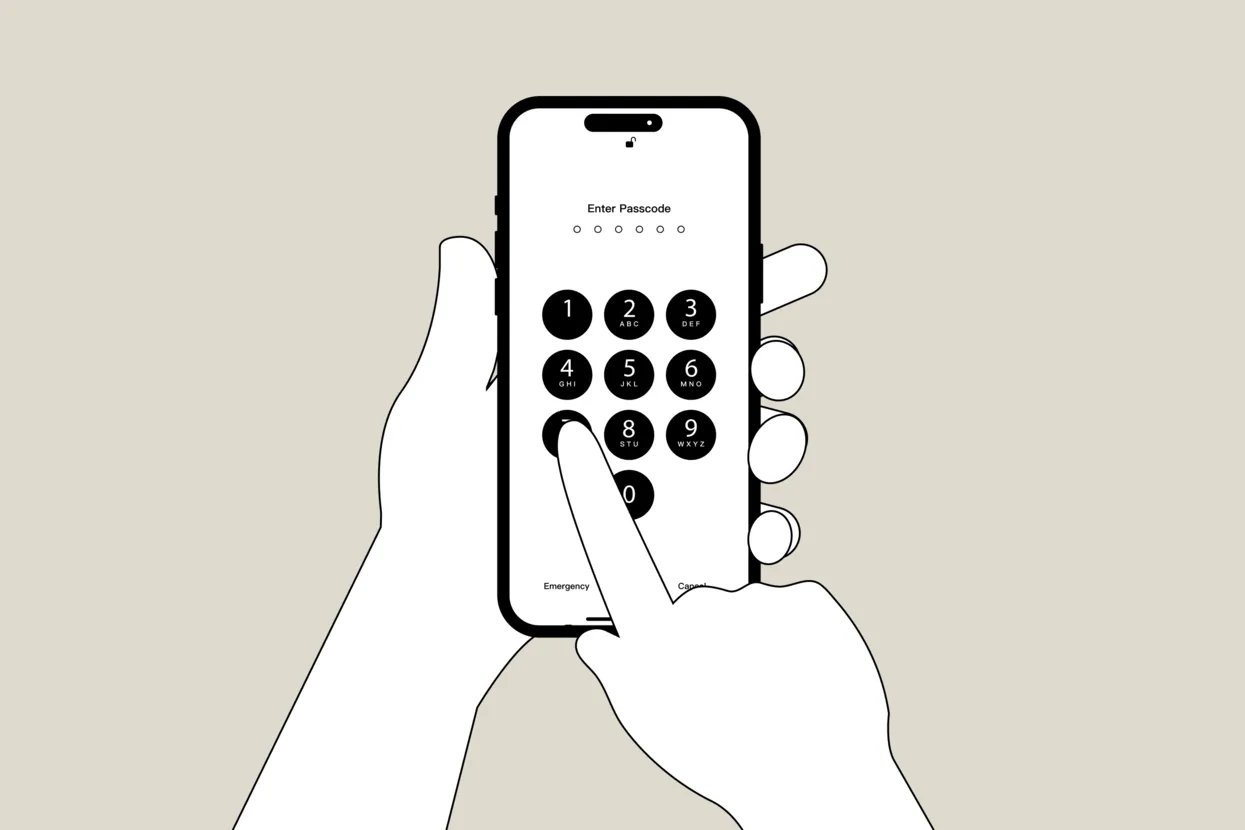
How to prepare your mobile phone for the Russian border: Meduza’s complete survival guide
A growing number of Russians living overseas who return to the country temporarily are reporting psychological pressure and mobile-phone searches at the Russian border. These inspections can result in consequences far more severe than travel delays, including criminal charges and incarceration. Understanding your personal risk and exactly how to prepare your devices for the trip can be difficult, as the internet is full of fragmented and conflicting advice. Working with a lawyer and a cybersecurity expert, Meduza prepared this detailed guide answering the main questions on the topic. Is it true that FSB officers have a special machine that can find anything on a device? Do you have the right to refuse to unlock your phone, and is there any point in refusing? And what’s the most effective preparation strategy?
Checklist.
This article’s main takeaways
part one.
Assess your risks and prepare mentally for crossing the border
When is the chance of an “interrogation” especially high?
What can you check in advance to weigh your personal risks?
So there’s no way to know the risks for sure. Is the picture really this murky, and could I end up in prison?
part two.
Learn how information can be extracted from your phone
What technology is used at the border?
Everyone says just refuse to unlock your phone. Is something wrong with that advice?
But if I clean my phone really well, do I have nothing to worry about?
part three.
Assess what they could find on your phone specifically (spoiler: more than you think)
So where might they find something that creates problems for me?
But if I don’t donate to any “banned” organizations, what’s the problem with foreign banks?
part four.
Decide on a strategy and start preparing for your trip as early as possible
What phone should I bring?
But what if you need data from, say, your laptop while in Russia?
If your phone did end up in the hands of FSB officers, what should you do with it afterward?
What you need to know before reading
Everything in this guide lowers the odds of trouble and limits the amount of your data that security officials could obtain. But in some cases, preparing your devices won’t matter at all, because the decision has already been made before you ever reach the passport control counter.
That’s true for anyone already facing a criminal case or a pretrial restriction imposed in absentia; anyone Russia’s Federal Financial Monitoring Service (Rosfinmonitoring) has placed on its list of “terrorists and extremists”; anyone who works for an organization designated “undesirable” or “extremist”; and anyone who has publicly criticized the war or the authorities. If you fall into any of these categories, the only advice experts offer is: don’t go.
We understand that trips to Russia are usually driven by serious reasons — a loved one’s illness, for example. But you should make that decision only after talking to a lawyer.
This article’s main takeaways
If you don’t have time to read the whole guide, if your trip is coming up fast, or if you just want to check how prepared you are, run through the experts’ advice below. If any point raises questions, the following sections explain it in more detail.
- Ideally, buy a separate phone for the trip — you likely won’t be able to fully clean your personal one.
- Also get a separate SIM card to use only for the trip.
- Try to make the new phone look used. Carry it around for a couple of weeks so the battery goes through several full charge-and-discharge cycles, take photos of food and animals, follow a few entertainment channels, and add close contacts to your contact list.
- Pay especially close attention to your contact list — it shouldn’t include Ukrainian numbers or numbers belonging to people being persecuted in Russia.
- Don’t log in to your old accounts — email, Telegram, and so on — on the new phone. Create separate ones for the trip.
- Never install foreign banking apps on the new phone — they will be checked if it comes to that.
- If you don’t have time to make the new phone look used, take it empty: it’s better to come up with an explanation for FSB officers than to take your chances on what they might find on your primary device.
- Turn off Face ID and fingerprint unlock before the trip.
- Set a long alphanumeric password instead of a four-digit PIN, and update the operating system to the latest version. These are the only steps that actually slow down a forensic extraction system.
- Keep in mind that checks can happen both when you enter the country and when you leave — prepare your phone just as carefully either way.
- Don’t be afraid to “say goodbye” to your device. It could be confiscated, and that’s not the main risk — what should worry you is the possibility that you won’t be able to leave Russia if something “wrong” turns up.
- Approach border control with your phone turned off. Until you enter your password for the first time after powering it on, most of the data stays encrypted. Don’t turn the device on until you’ve gotten through every stage of the check.
- If you’re asked to unlock your phone, agree to do it. You have the legal right to refuse, but in practice, refusing will only make things harder.
This advice doesn't apply to everyone
That last piece of advice applies to those traveling with a phone prepared in advance. If you’re bringing your primary device with all your messages, email, and banking apps, there’s no easy fix.
Refusing to unlock the phone will almost certainly lead to escalation, a long conversation, and closer attention to you from then on. Agreeing means a copy of your entire digital footprint ends up with the FSB and gets examined without you present — potentially even a year later, under laws that don’t exist yet.
Which scenario is worse depends on what’s on the phone. It’s worth weighing these risks in advance with a lawyer, not at the checkpoint. Even then, you’ll have no guarantees.
The cybersecurity specialist Meduza spoke with considers this dilemma the best argument for preparation. Bring a temporary device, and you won’t have to make that difficult decision.
- If you’re confident that nothing threatens you personally and that it’s fine to bring your own phone, think again — there’s no way to predict the logic of security officials or to fully reconstruct your own digital footprint.
- As strange as it sounds, try not to be nervous when crossing the border — nervousness alone can be reason enough to pull you in for an “interrogation.” Answer questions calmly and as briefly as possible.
- If you’ve already run into additional screening, be sure to consult lawyers and human rights activists.
Assess your risks and prepare mentally for crossing the border
The first thing to understand is that the people who check your phone aren’t the same officers you initially show your passport to. If you raise suspicion at the passport control window, you’ll be asked into a separate room, where you’ll deal with other FSB representatives. They conduct the questioning — or “conversation” — that people who’ve been through it often informally call an interrogation. Unlike a real interrogation, a “conversation” cannot include a defense attorney, even if you have one, because at that point you’re still formally in a gray zone before crossing the border.
A phone check can come with psychological pressure. “Few people can withstand this kind of pressure,” said a lawyer who spoke with Meduza, describing the practice at the Russian border. “They scream obscenities at you, they threaten you with a treason case. And now they use this approach not just against so-called ‘foreign agents,’ but against anyone.”
The pressure, however unpleasant, eventually ends. But if security officials get into your phone, that puts you in a far more vulnerable position — information pulled from the device can be used even after you’ve left.
Hi, this is Katya, the author of this piece and an editor on Meduza’s Explainers desk — and I have something of my own to add. I put this guide together partly for personal reasons. Many of my close friends and relatives who can still travel to Russia come to me, of all people, with questions about crossing the border. I answer them, but I’ve noticed people often ignore the advice. Unfortunately, that doesn’t always end well.
If even one person who reads this piece reconsiders their plans and brings a new, well-prepared phone, I’ll know my work was worth it.
To ensure we can continue publishing journalism that will surely keep someone out of trouble, we need help, too. Specifically, from those of you who DO NOT live in Russia. Please support Meduza. If you are afraid to donate but really want to, email support@meduza.io — we will review your situation and find the safest payment method.
When is the chance of an “interrogation” especially high?
Setting aside the obvious risk groups — people who already have a criminal or administrative case against them, political activists, journalists, and public critics of the Russian authorities — those most likely to face additional screening fall loosely into several categories:
- Experts are convinced that people whose passports list their place of birth as the “Ukrainian SSR” or “Ukraine” top the risk list. That includes residents of Crimea and other occupied territories who received Russian passports. According to people Meduza spoke with, such travelers are often sent for additional screening no matter how loyally they speak about the Russian authorities.
- You’re highly likely to face questions if you’ve declared foreign citizenship.
- Additional questions may come up over an undeclared foreign bank account. In certain cases, Russian citizens must report such accounts and disclose the movement of funds through them. Beyond the violation of declaration rules, a bank account can provide authorities with a lot of other information about a person — where they work and live, where their money comes from, whom they send funds to, and whom they donate to. That’s what interests FSB officers most, the lawyer said — simply failing to disclose an account falls more under the tax service’s purview.
- A separate risk group includes people who left Russia after the start of Russia’s full-scale invasion of Ukraine and didn’t come back for a long time. Experts who spoke with Meduza are convinced that a prolonged absence since February 2022 can itself trigger selective screening — officials may simply assume you’re politically or ideologically opposed to what’s happening in Russia.
- Finally, additional screening may be triggered by your behavior at the border. Visible nervousness, long pauses before answering, self-contradiction, curt answers, or a lie about something border guards already know can all be reason enough to pull you into a separate room and check your phone.
Act calmly and naturally. A border guard evaluates not just your documents but how you answer simple questions like “Where are you coming from?” or “What’s the purpose of your visit?” Don’t be nervous without reason, don’t try to hide obvious information unless it’s risky to disclose, and don’t try to guess the “correct” answers.
Even if none of these categories apply to you, there’s no way to know for certain whether you’ll personally run into trouble at the border, the lawyer told Meduza:
Every time, we try to find some kind of pattern. But unfortunately, we can’t latch onto anything obvious. Why? Because we really don’t know what’s happening behind the scenes. They have some internal guidelines. For example, they check every 25th person. Or they check everyone flagged in their internal database as having worked for independent media. Or NGO employees, especially those designated “foreign agents.” Or people who were detained at protests going back to, say, the 2012 Bolotnaya Square demonstrations.
What can you check in advance to weigh your personal risks?
If you’re worried ahead of your trip, start with publicly available tools. But understand that none of these checks can guarantee nothing will happen at the border. Russian security officials don’t maintain a public database that lets you calculate every possible risk, and finding nothing in existing sources doesn’t mean no one is interested in you.
- Check the database of enforcement proceedings kept by Russia’s Federal Bailiff Service (FSSP). There you can find unpaid fines, tax debts, court-ordered debts such as child support, and more. If you have an account on Gosuslugi, Russia’s state services portal, some of this may already appear there. It’s worth settling any debts in advance — if nothing else, because an open enforcement proceeding can bar you from leaving Russia.
- Check whether you’re on the federal wanted list. This is published in an open database maintained by Russia’s Interior Ministry. Keep in mind that not every criminal case lands someone on the wanted list. And don’t search for yourself there every day: database queries are logged too, and constantly monitoring your own data can look suspicious in itself.
- Search for information about yourself in court databases and on the websites of Russian law enforcement agencies. Sometimes you can find records of court hearings or a pretrial restriction imposed in absentia. Not everything becomes public, and not every case is published, so finding nothing doesn’t guarantee anything either.
- Search for your name on the websites and Telegram channels of Russia’s Investigative Committee, the prosecutor’s office, and other agencies. These sometimes publish information about preliminary inquiries and about materials submitted to decide whether to open a criminal case — that’s how, for example, the case against journalist Yulia Taratuta came to light.
- Think back over your own actions that might interest Russian security officials. For example, donations to organizations Russian authorities consider “undesirable” or “extremist,” participation in rallies, detentions, public statements, and other episodes. If you can’t say for certain whether some risky episode happened — and you shouldn’t count on finding everything in open or even leaked databases — it’s wiser to assume it might have.
“I consider this a rule,” the cybersecurity specialist said. “If we’re not sure whether we donated or not, that means we could have. Any doubt should be interpreted in favor of the more likely risk.”
We don’t recommend searching for yourself on leaked databases and gray-market aggregators. There are plenty of them, but there’s no way to know who’s behind a given service or who gets the data on its users. These websites and Telegram bots can retain everything about the people who come looking for themselves.
If you still decide to use these services, keep in mind that the search itself leaves a digital trail. According to the cybersecurity specialist, you shouldn’t log into these bots from your main account, pay for a search with a card in your own name, or submit queries that clearly show you’re looking for yourself:
To check yourself against gray-market databases, you first need to prepare very carefully: set up an anonymous payment method and an anonymous email address, use Tor, use a VPN, and — loosely speaking — not just search for information on one specific person but make as much noise as possible. If we’re looking for Ivanov, we should also search for Petrov and Vasechkin, and add a couple more names to the list to hide our real target.
The expert strongly advises against installing GetContact. The app copies your contact list, creating additional security risks — and not just for you. “For an unprepared user, the harm from using these services can outweigh their benefit,” he said.
So there’s no way to know the risks for sure. Is the picture really this murky, and could I end up in prison?
Relax. It’s true that, judging by the experience of people Meduza has spoken with, the atmosphere at the border is growing more tense, and accounts of long, anxious waits and psychological pressure keep piling up. But needless panic won’t help — the chance of actually being detained is still fairly low.
“More often than not, these threats — ‘we’re going to file a report’ — don’t end with an actual one being filed,” the lawyer said. “In the last five years of my practice, that hasn’t happened, and we’ve accompanied countless people across the border. They’ve reduced people to tears and hysterics. They’ve copied phones from many people, but not a single report, no one detained, no one tortured.”
Still, don’t take this as a reason to relax completely. No one can guarantee security officials won’t act differently in your particular case — good preparation for crossing the border matters a great deal.
Learn how information can be extracted from your phone
What technology is used at the border?
In the past, checking a phone at the border mostly meant an officer manually scrolling through it — opening messages, viewing photos, checking contacts, and reviewing apps. In recent years, specialized forensic extraction systems have taken over more and more of that work: they let officers quickly copy all the data from a device and automatically search it for whatever they need.
Russian security officials use, among other tools, the Israeli-made Cellebrite UFED and the Russian-made “Mobile Criminalist” system, which serves the same purpose. Cellebrite left the Russian market back in 2021, but the Russian human rights group First Department said the devices are now bought on the black market.
These machines create a full clone of any phone connected to them — an identical digital copy. An FSB officer can then work with that copy separately from your device, but what that work looks like depends on whether the phone was unlocked.
In the first scenario, when you enter the password yourself, the program sorts through all your data on its own. It searches for Ukrainian phone numbers, the names of specific people, and mentions of organizations, and it scans call history, apps, photos, documents, and other specified markers — down to the names of Wi-Fi networks you’ve connected to. The system flags “triggers” in your phone, and you’ll have to discuss them with the FSB officer — explaining, for example, your relationship with a person deemed suspicious.
If no “trigger” goes off, don’t celebrate yet: the snapshot of your phone still gets sent on for further review. You’ll get your phone back and be let go, but something could turn up later — and what happens next depends on exactly what that is.
What if the phone was unlocked but some data is hidden in a secure folder?
You might be tempted to move sensitive information into, say, Private Space on Android or Samsung Secure Folder, figuring you’d be safe even after entering your password. We don’t recommend that strategy either. Here’s why:
- Private Space on Android (available starting with Android 15) is technically better designed than people assume — it’s a separate user profile with its own encrypted storage, inaccessible while locked. But you still can’t rely on it to protect you at the border. First, by default, Private Space opens with the same password as the phone itself; you have to set up a separate one manually. Second, the profile’s existence is visible on the device, so you’ll have to explain to an FSB officer why you have a hidden space you don’t want to open.
- Samsung Secure Folder — often called by the name of the platform it runs on, Knox — provides separate encryption. As long as the container is locked with a complex password, the apps and files inside stay protected. But the same risk applies: the hidden folder is visible in the system and will become a topic of conversation with whoever is checking your phone. Keep in mind, too, that Secure Folder contents can end up in Samsung Cloud backups, meaning they can exist outside the phone as well.
Here’s how the cybersecurity specialist summed up the general principle behind hidden spaces on phones: “Any ‘secret rooms’ on a device are designed to hide data from a random person who picks up the phone. They don’t solve the problem of passing a check where you’re required to open everything a security official points to, because the ‘room’ itself remains visible.”
The second scenario — the phone connected to the system while locked — differs from the first less than you’d hope, but the outcome depends on the state of the device, the cybersecurity specialist said:
If the operating system hasn’t been updated in a long time, there’s probably a publicly known vulnerability for it. In that case, they strip the protection almost immediately, and after that they handle the contents the same way as with an unlocked phone.
If the system is up to date, whoever is checking doesn’t have instant access. On modern smartphones, the encryption key is stored in a separate hardware module that limits the number of password attempts, making it difficult to “brute-force” a password on an extracted copy using an external computer. But the extracted copy itself doesn’t go anywhere: they keep it, and they come back to it once a new way to bypass protection appears for your particular firmware version. That could happen in a month, in a year, or never, and you have no way of knowing in advance.
The expert said a complex alphanumeric password and a promptly updated operating system greatly increase the time it takes to crack a copy of the device. That’s exactly why there’s no point traveling with an old phone that no longer gets updates and that you “won’t miss.”
One important caveat: everything above applies to a phone that’s already been unlocked at least once after being powered on. If the device is in a BFU (Before First Unlock) state — restarted, but with the password never entered since powering on — a copy of it is practically useless to security officials, and all the data stays encrypted. But even this isn’t a universal safeguard, the specialist said: officials will try to get the password some other way.
For the BFU strategy to work, we recommend the following:
- Approach border control with your phone turned off, and don’t turn it on until you’ve gotten through every stage of the check.
- If you’re asked at security screening to show that the phone’s screen works — this happens fairly often — you can turn it on and let them see the screen light up, but you’re not required to enter the password.
- Don’t forget to disable face and fingerprint unlock in advance, and replace your regular PIN with a long alphanumeric password.
Everyone says just refuse to unlock your phone. Is something wrong with that advice?
You can refuse, but the experts Meduza spoke with advise against it.
The law does allow this. Under Russia’s Constitution, every person, regardless of citizenship, has the right to privacy of correspondence, and internal agency instructions can’t override that. The right can be restricted only by court order, meaning officials can demand your device only for an “inspection” — strictly a visual look at the device’s exterior. In practice, the term isn’t defined anywhere in law, and border officers interpret it in their own favor. That alone can make an “interrogation” drag on for endless hours: the FSB representative you’re dealing with may insist the law is on their side.
But there’s a more compelling reason not to refuse: officials will likely get the data off your phone through “Mobile Criminalist” eventually anyway, and refusing will work against you, the lawyer said:
As soon as a person starts saying, “No, this is an invasion of my privacy, you don’t have the right,” that’s a trigger point. Then escalation begins, and it can be nerve-racking, long, and unpleasant. It’s better to let them copy an empty, unlocked phone than to spend three hours battling it out with an FSB officer who’s screaming obscenities and threats at you. That’s not just a stressful and risky situation — if you’re flying out, you could also miss your flight.
The psychological pressure during these interrogations can be intense. Our experts have often seen cases like this in their own practice.
But if I clean my phone really well, do I have nothing to worry about?
Unfortunately, that won’t help much: it’s practically impossible to clean a phone yourself thoroughly enough to guarantee you’ve eliminated the risks. First, deleting something from a device doesn’t mean the data has vanished without a trace — it can remain in backups that security officials will also be able to access.
What’s more, most apps don’t depend on backups at all. Services like Telegram and email providers store information on their own servers, so reinstalling the app and logging back in brings the data right back to the phone. Encrypted messaging apps — Signal, for instance — are protected from this, but simply having one installed will raise suspicion.
Second, you cannot know in advance exactly what they’ll search for on your phone — or which of your old conversations, photos, contacts, or actions Russian authorities may already consider grounds for a criminal case, the lawyer said:
This is hard for anyone to assess, even a lawyer. The legislation [in Russia] is endlessly elastic, and the way it’s applied keeps getting worse. Something that’s fine today can become a problem tomorrow. And they have a copy of your phone, so a month later they can say: “Ah, here you donated to such-and-such organization, and we recently designated it extremist.”
Your ability to clean everything thoroughly is also limited by the sheer scale of your digital footprint — including the passive kind that accumulates without your knowledge. That footprint is too vast to control fully.
Assess what they could find on your phone specifically (spoiler: more than you think)
Most people traveling to Russia limit their phone cleanup to deleting sensitive conversations, unfollowing independent media and human rights projects, and sometimes removing photos whose content leaves no doubt — a “No to War” sign, say, or a Ukrainian flag. But what security officials look for, especially with the help of “Mobile Criminalist,” goes far beyond that.
So where might they find something that creates problems for me?
First, based on the experiences of people Meduza spoke with, security officials will look at your call history and text messages, even if they’re just manually scrolling through your phone. Depending on the phone model, up to 2,000 calls — including those made through messaging apps — can be stored, and there’s generally no limit on how many texts are kept. Almost no one makes a habit of cleaning out these archives, the cybersecurity specialist said, even though they can reveal a great deal about a person.
You usually won’t find discussions of Russia’s political situation in text messages, but verification codes and notifications from banks and other services stay on the phone for years — and they can reveal where you’re registered and what bank and online accounts you hold.
Plenty of triggers for FSB officers can also turn up in your contact list. They’ll look for specific names that interest them, and for any numbers with Ukraine’s international dialing code — or any foreign numbers at all — some of which you might not even know you have.
Where could I have gotten a Ukrainian number I don't even know about?
The human factor plays a role here too, people Meduza spoke with said. When saving a contact, people rarely notice the international code the number starts with — especially when the relationship began in a messaging app.
Say you met someone after emigrating. You might assume that since they live somewhere in Europe, they have a local number. But not everyone updates the phone number linked to their accounts, and messaging apps, by default, automatically sync contacts with your contact list.
Another side of this problem is names. An acquaintance’s first and last name could coincide, purely by chance, with the first and last name of someone from Ukraine who matters to Russian security officials for some reason and is logged in one of their databases. In that case, whoever’s checking your phone might want to make sure your contact isn’t actually that person.
They also examine social media and messaging apps separately, and the check isn’t limited to message content and who you follow. On Instagram, they might dig up archived stories you forgot about long ago. YouTube gives them your viewing history. On Telegram, they’ll check your cache and recent search history — people, channels, bots, even ones you don’t follow. Additional trouble can come from having given paid reactions — so-called stars — to posts by organizations whose activity Russian authorities have declared illegal.
A great deal about you can also turn up in Gmail and other email apps — documents, tickets, registration confirmations and other material that describes your life and connections in considerable depth.
Photos and screenshots are checked without fail. Officials might find pictures from pride events, say, or images featuring “banned” symbols. Modern smartphones have made this part of the job much easier for security officials, who can quickly sort through specific file categories — documents, scans, photos with text, and so on.
Finally, people traveling to Russia often underestimate how much attention foreign banking apps draw during phone checks. The lawyer told Meduza this is one of the main things security officials focus on at Russian borders now.
But if I don’t donate to any “banned” organizations, what’s the problem with foreign banks?
Beyond the formal grounds for going after you — the obligation to declare an account and report its transactions to the state — there’s a whole range of scenarios in which actions that look harmless to you can draw the attention of security officials.
“Mobile Criminalist” first automatically determines which banking apps are installed on your phone and whether they’ve been used — based, for example, on cached data. If it finds, say, Revolut, whoever’s checking will likely try to get into the app itself, too. According to the cybersecurity specialist, people often set overly simple passwords on banking apps or rely entirely on biometrics. Once security officials are into your account, they can review your transaction history — and since the list of what Russian authorities consider suspicious or illegal keeps expanding, there’s no way to know in advance which transaction will turn out to be a problem.
Rosfinmonitoring’s list of “terrorists and extremists” alone includes more than 20,000 people, and it keeps growing. What if you once had coffee with one of them and paid them back five euros for it? Or went to an acquaintance’s birthday and sent gift money to the account of someone in the group chat? There’s a chance that person, too, has been added to a list like that. The same logic applies to any transfer you’ve ever made to an organization — an environmental foundation, say; those are sometimes designated “undesirable” too. So an entirely ordinary action from the past, whose meaning has since shifted along with Russian law, can create trouble at the border.
Decide on a strategy and start preparing for your trip as early as possible
What phone should I bring?
Our main recommendation: use a different device for the trip, not your main one. You can buy something inexpensive or use an old phone — your own, a friend’s, or one of your kids’ — but if you do, reset it to factory settings first.
People Meduza spoke with call these special travel phones “vegetarian” phones, and that captures exactly what you need to do. You need to fill an empty phone — but with harmless things — so it doesn’t raise unnecessary suspicion. It’s worth taking that seriously and spending a couple of weeks on it, the lawyer said:
Because the device [“Mobile Criminalist”] that copies and performs the initial assessment flags the phone if it detects it is clean: “Attention, clean phone.” It’s not the officer who realizes your phone is clean; it’s an automated analysis. What’s it based on? Having too few charge cycles; the system reads the counters.
The system also analyzes the most popular apps, the cybersecurity specialist said: “If you have, say, Telegram installed but the cache is empty, that means you never logged in. Or you logged in, but only once, added some account, and never used it, so the cache is very small. And if there are fewer than 10 photos, or they were all uploaded on the same date, that’s visible too. There’s a whole set of things like that, and they’re very hard to fake unless you carry the phone around for two weeks, turn it on regularly, scroll through your Telegram chat list, and so on.”
If I don't have time to fill up the new phone, will that raise even more suspicion?
Even if you’re asked why your phone is nearly empty or brand new, that’s easier to explain than the sensitive data they could find on your primary device.
Ideally, of course, a prepared phone should look a little “lived-in.” But experts are convinced the worst-case scenario is traveling with a phone that holds your entire life — especially since the law and how it’s applied keep shifting. Something in the copy of your phone that security officials hold could seem harmless today and become grounds for pressuring you tomorrow.
It’s worth deciding in advance how to answer if you’re asked why your phone is so empty. The cybersecurity specialist sees two approaches, both of which work as long as you don’t mix them.
The first: tell the truth. “I brought a separate phone for the trip; I don’t want to show my personal data and work correspondence.” That sounds worse than it actually is, but the specialist said this position has a major advantage: it can’t be disproved, so there’s no risk of getting caught in a lie.
The second approach: give a mundane explanation — that your old phone broke, got wet, or that you lost it. That can lower the temperature of the conversation if it holds up to scrutiny. Otherwise, “you’ll get a new problem on top of the old one,” the expert said:
What you definitely shouldn’t do: make things up on the fly, add extra details, or change your version of events as the conversation goes on. If you’re not confident in your story, an honest refusal to show your personal data may be safer.
The lawyer offered another line: “I’m afraid of losing my phone, so I travel with one that wouldn’t be a big loss if I did.” “The ‘scatterbrain’ scenario is mundane and understandable,” the lawyer said. “A lot of people don’t bring valuable items on trips because they’re afraid of losing them or having them stolen.”
How to prepare a “vegetarian” phone:
- buy a separate SIM card in advance and start using it with the phone you’ll be traveling with;
- set up a new Apple ID or Google account — this matters;
- add the phone numbers of your parents and friends in Russia to your contact list;
- double-check there are no Ukrainian numbers on it, and ideally no foreign numbers at all;
- install Russian apps: Yandex, the country’s biggest tech company, and Gosuslugi, for example;
- set up new email and messaging app accounts;
- don’t log into your main accounts from the new device, even briefly;
- start a few chats — one with family and one with friends, say — where only everyday matters come up;
- follow a few entertainment channels with little or no news and politics;
- try to take plenty of photos: selfies, pictures of animals or food, landscapes;
- fully drain and recharge the device a few times.
Once you’ve done the main preparation, check yourself against these points too — they can protect you from unpredictable complications:
- Pay special attention to your eSIM: your main number, if it was linked to the device you’re bringing, can remain on the phone through a virtual profile people often forget about.
- Make sure you’ll have access to your own second factor if needed. An authenticator app or text messages for your main accounts shouldn’t live only on the phone you’re bringing — if you’ve decided to travel with your permanent phone after all — or, conversely, only on the one you’re leaving at home. For the trip, you could, for example, entrust your 2FA to someone close to you.
- Take care of the security of your new Telegram account. Turn on two-step verification in advance, hide your phone number, and turn on automatic account deletion after a period of inactivity.
- Memorize the number of a lawyer or defense attorney in your arrival city or write it down on paper. If your phone is confiscated, you’ll lose access to your contact list.
- Arrange a check-in schedule. Make sure someone close to you knows your flight time and the time by which you’re expected to check in — and knows who to call if you’re out of contact too long.
- Find out how prepared your travel companions are. If you’re traveling with family, their phones are part of the same picture — preparing your own device won’t help much if the person next to you has a chat thread with your main account.
- It’s better to unlink devices tied to your Apple account and leave any family sharing plan, so you don’t give away extra information there either.
Keep in mind: if you also need to bring a laptop, reset it to factory settings too and put as little on it as possible — experts say that at the border, the device should be little more than a “typewriter.” The same recommendations apply to smartwatches and tablets, which can be searched just as thoroughly as a phone.
I have an idea: bring a new phone and hide my real one!
Trying to hide your permanent phone and hand border officers a different, prepared one can cause more problems than a device loaded with all your data.
Experts who spoke with Meduza say people sometimes try to keep their main phone with them by burying it deep in their luggage — in a Faraday case that blocks radio signals, say. That won’t help: the case doesn’t hide the device from an X-ray scanner, which will still show a phone and battery in the luggage. Data on luggage passing through the scanner is retained, and FSB officers can access it if needed. A phone hidden in a backpack can also turn up during a “personal inspection,” which doesn’t require a separate court order.
And if it turns out during an “interrogation” that you deliberately hid a phone, you’ll have to explain why.
But what if you need data from, say, your laptop while in Russia?
Bringing a backup of that data on the trip is a bad idea — it just transfers the same risks to another device. Simply turning off syncing with your main cloud isn’t enough either, since whoever checks your devices can easily tell which cloud services you use. It’s better to make a local backup in advance, on a computer you’re not bringing, and delete the data from the device entirely. You can restore it once you’re back.
But if you really might need some sensitive files in Russia, the principle of “device separate, data separate” works. Move the files to a cloud storage service with end-to-end encryption, such as Proton Drive, Keybase Filesystem, or Tresorit. Avoid Yandex Disk, Google Drive, and other services on Roskomnadzor’s registry of companies required to store user data and turn it over to Russian security agencies. Know the password to your cloud storage by heart, and don’t keep it written down anywhere.
Once you’re across the border, you can log into the cloud if needed, download the file, work with it, and delete it from the device afterward. Keep in mind that the fact you used cloud storage at all may still be visible on the device, so deleting a file after use doesn’t erase every trace of it.
If your phone did end up in the hands of FSB officers, what should you do with it afterward?
After a phone check, two scenarios are possible. In the first, the device is confiscated — worth preparing for in advance. In the second, it’s returned to you, which isn’t the end of the story either.
General recommendations for either scenario
Once your phone has been in FSB hands, take the most urgent steps from another device you trust — a laptop, say, or a close friend’s or relative’s phone. It’s best not to touch your own phone at all during this time. The cybersecurity specialist recommends doing the following first:
- End all active sessions in your messaging apps, email, and cloud services, then check the list of connected devices for anything unfamiliar;
- Change the passwords on your key accounts and update two-factor authentication if the codes were sent to the device that was checked;
- Check your email settings for hidden forwarding rules and new recovery addresses — this is the most common way to intercept data after a password change;
- Revoke permissions for any third-party apps linked to your accounts;
- Warn the people whose contacts are saved on your phone and with whom you’ve corresponded — they have the right to know their data may have ended up in the copy, especially if any of them are in Russia;
- If possible, consult lawyers or human rights defenders to assess further risks.
What to do if your phone was confiscated
Confiscating a phone — as part of investigative operations, for example — is a separate process that must be formally documented. Demand a confiscation report and a copy of it, and insist that it list the device’s model and condition, along with the time it was taken.
Write down, or at least memorize, the position and last name of the officer taking the phone, along with when the conversation started and ended. If the officer refuses to draw up a report, note that too — it could prove useful to a lawyer you consult later.
Don’t agree to hand over passwords to accounts FSB officers didn’t already access on the device itself, and don’t read out the ones for your email or cloud services. “Unlocking your phone and handing over the keys to your entire digital life are two different things: the first doesn’t obligate you to do the second,” the cybersecurity specialist said.
What to do if your phone was returned
If your phone was unlocked and FSB officers accessed it, treat it as potentially compromised. The fact that your device was checked at all means you or people connected to you attracted attention for some reason, so once you get the phone back, don’t simply resume using it as usual.
It’s very hard to spot surveillance on your own: spyware rarely looks suspicious and usually disguises itself as a system service, which already has broad permissions anyway. Such malware can log your keystrokes and gain access to your messages, microphone, camera, and location. A compromised phone, in short, can keep collecting information about you even after you’ve gotten it back.
If you suspect an ordinary spot check, the first thing the cybersecurity specialist recommends is to restart the phone without doing anything with it beforehand — no calls, no apps, no passwords. That reduces the risk if malware that runs in the device’s memory was installed on it.
If you suspect targeted infection, it’s better not to touch the phone until someone can check it for threats. You can arrange that, but the options are limited. One tool, the Mobile Verification Toolkit (MVT) from Amnesty International, is built for specialists — it requires working from the command line and is noticeably more effective on iOS than on Android. Results can be ambiguous, and a false alarm is possible. Don’t rely on ordinary antivirus programs you can run yourself: they’re built for mass-market malware and are all but useless against targeted spyware, so a “no threats found” result doesn’t mean much in these cases.
To rule out a threat for certain, the best move is to reach out to people who do this kind of diagnostics professionally. Access Now, for instance, runs a free, round-the-clock Digital Security Helpline, including in Russian. Among other things, the organization specializes in analyzing the devices of activists and journalists.
If the phone was out of your hands for a long stretch — hours, say — or you have reason to think it was deliberately infected but can’t check it, the expert recommends abandoning the device altogether.
Keep in mind: if it’s hard to assess your personal risk, or you’ve already run into pressure at the Russian border, it’s best to consult lawyers or human rights defenders. You can reach out to the Russian independent human rights monitor OVD-Info or to the human rights group First Department. If you’re worried about your freedom after crossing the border, write to InTransit, an organization that helps people facing political persecution. For digital security questions, get in touch with Access Now.
At Meduza, we are committed to transparency about our use of artificial intelligence in the newsroom. The story you’re reading was written by one of our living, breathing journalists and translated from Russian using an AI model configured to follow our strict editorial standards. This translation process is the result of extensive testing and refinements to ensure our English-language coverage is timely and accurate. A Meduza editor reviews every draft before publication.
If you find any errors in this translation, please contact us at reports@meduza.io.
To read Meduza’s exclusive content in English, please subscribe to our newsletter.
Ekaterina Mezentseva
What are their names?
We are not naming the experts for security reasons. Authorities could regard a comment to Meduza as cooperation with an ‘undesirable’ organization, which carries administrative liability and, for a repeat violation, criminal liability. We are fully confident in the expertise of everyone whose words are used in this piece.
What is this?
A special device security officials use to pull virtually all the data off a smartphone, including deleted conversations and hidden files. We explain how the technology works in more detail in later sections.
What’s the difference?
In terms of stress level, there’s little difference. Officially, the term “interrogation” can only apply to an investigative procedure within a criminal case — one with clear procedural status, a defense attorney, and a formal record. But that’s no reason to treat what happens at the border any less seriously.
What if I don’t declare it?
That doesn’t guarantee no one will find out about a second passport. Security officials can check leaked databases — hotel or airline records where a foreign document turns up, for example. There are other methods, too.
In which cases?
This applies if you opened a foreign account while still a Russian tax resident — that is, within the first 183 days after leaving the country. You can learn more at this link.
What’s the penalty for this?
You could face fines under a provision of Russia’s Code of Administrative Offenses covering violations of currency legislation and the acts of currency regulation authorities. In exceptional cases, this could also mean liability under a provision of the Criminal Code covering illegal currency transactions.
What’s this?
A program and a specialized browser that hide a user’s identity by routing encrypted internet traffic through a chain of random computers.
What kind?
The best option is an alphanumeric password. It can consist of eight to 10 characters, including lowercase and uppercase letters, numbers, and special characters (punctuation marks).
Clarification
This refers to a situation where the phone hasn’t been prepared. If it’s a special travel phone you’d agree to unlock yourself anyway, these conditions matter less.
Why?
A phone’s sensors can be activated by force — pressing your finger to the scanner or pointing the camera at your face — whereas only you know the password.
Exception
We can’t give the same advice to people who’ve brought their primary device to Russia and consider their own risk high.
Exception
Your right won’t be considered violated if you show the contents of your phone voluntarily.
Exception
If your phone is in a BFU (Before First Unlock) state, officials can’t get the data without your involvement — but in that case, they’ll push you to unlock it. Specialists advise against agreeing to that.
Exception
This applies if you uploaded a backup to a physical drive you don’t bring on the trip, and backups on the phone itself — like data syncing — are turned off. Keep in mind that this still doesn’t protect you completely; more on that below.
This also happens with Russian names
There is no guarantee that a relative’s full name won’t exactly match one on a discriminatory list — such as a registry of “extremists.”
What does that reveal?
A smartphone keeps photos, videos, and other media files from channels you merely scrolled through, even if you later unfollowed them or deleted the chat. That tells FSB officers you were, at the very least, interested in a particular topic.
What’s wrong with biometrics?
The problem with biometrics — Face ID, fingerprint — isn’t that they’re technically easy to crack, but that they offer poor protection against coercion. To get into an app, security officials just need to hold your face up to the camera or press your finger to the scanner.
How so?
There are many possibilities, but the logic is best understood through a hypothetical scenario. If you claim your phone sustained water damage or broke a week ago, a border agent can check with your cellular provider to see when your Russian number last connected to the network, which device’s IMEI it was on, and whether there were any recent payments or purchases. If the database shows the number was active three days ago, your story falls apart.
Why?
Your phone number holds a lot of information about you, too — banks are linked to it, it might be saved a certain way in someone’s GetContact, and so on.
What does that mean?
This refers to the system-level access permissions the operating system grants apps so they can work with the phone’s functions. When spyware disguises itself as a system service, it requests access to components critical to data security.
One nuance
This needs to be done from another device.
What if I am a “foreign agent”?
According to experts interviewed by Meduza, being declared a “foreign agent” increases the risk of an unpleasant conversation with border guards, but it does not provide formal grounds for detention if the individual has no outstanding “foreign agent” fines and/or an open criminal case. The recommendation is to travel only in cases of extreme necessity and after weighing all other risks.
Important caveat
Experts interviewed by Meduza say device confiscation is still fairly rare. For guidance on what to do if it happens to you, see part four.
Where do they get their names?
Authorities got these names from data NGOs submitted after human rights organizations began being declared “foreign agents.” At the time, everyone had to file mandatory reports with the Justice Ministry listing their employees.
Is that grounds for a criminal case?
No. An organization being designated “extremist” after a donation was made shouldn’t be grounds for opening a criminal case, the lawyer said. But there are precedents where security officials treat participation in actions that an “extremist” organization merely provided informational support for as financial support for that organization itself. And this practice could expand, the person who spoke with Meduza warned.
Important caveat
These concerns usually aren’t raised by FSB officers themselves. But copying a phone with an undeclared account reveals that it exists, and that information can be passed on to tax authorities, who then check whether there are grounds for action on their end. In any case, a foreign banking app is reason enough for a conversation — including about whether you hold residency in the country where the account is held.
So what?
Getting money back for coffee could be treated as “financing extremist activity.” There’s fairly broad scope for applying criminal code articles, even if practice hasn’t gone that far yet. “We’re talking about potential risks, and that shouldn’t be ruled out as a possible scenario in the future,” explains the lawyer who spoke with Meduza.
One nuance
This advice mainly applies to people entering Russia who are swapping one foreign SIM card for another. Keep in mind that if you leave Russia with a new SIM card — or enter the country after switching from a Russian SIM to a foreign one — security officials, with access to leaked databases, might wonder why you changed your number. Think in advance about how you’ll answer.
Here’s one more tip flagged by our colleagues at the independent Russian news outlet Mediazona: if you’re leaving Russia, install a VPN on your phone so you don’t raise suspicion that you weren’t actually using popular blocked apps like Telegram and Instagram.